
So, after ample research and reading several reviews of current and former Ontario Virtual School (OVS) students you’ve decided to make the move to online learning. Welcome, we are glad you’re here! Our community of online learners and educators have undergone a similar transition and are always here to help!
With rolling enrollment, you can register and begin your course at any time of year – no application deadlines, no online high school admission requirements (unless in the reach ahead program), no long wait times, and you can even start learning outside of regular business hours.
Rest at ease knowing that enrolling in Ontario Virtual School is a simple process and you will be given ample support throughout the process. Our enrollment process is streamlined to ensure that you can begin your learning as soon as possible, getting one step closer to obtaining your Ontario high school online credits (for graduation).
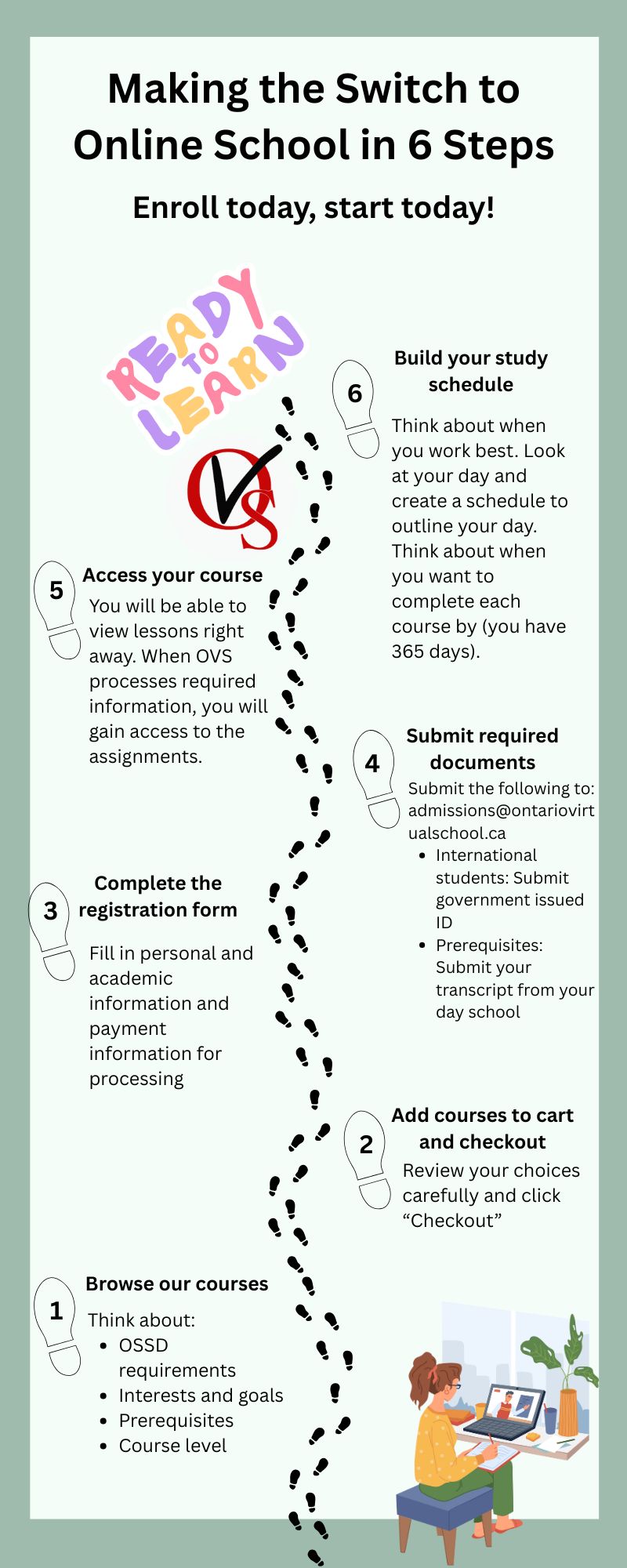
Follow these 6 steps to learn how to enroll in online high school:
1. Browse Our Courses
OVS has over 130 Ontario Ministry of Education-approved courses for you to choose from. As you explore your options, keep the following in mind:
a) OSSD Requirements: If you are working towards your Ontario Secondary School Diploma (OSSD), be sure that your course selections meet graduation requirements. Chat with an academic advisor to learn more about these requirements.
b) Interests and Career Goals: Now you can start to think about the fun aspect – your interests and career aspirations. Choose courses that align with your strengths, interests and future plans. Check with different universities/colleges to see what courses you need to be accepted into their program if that is your goal.
c) Prerequisites: Some courses require prior credits (example, if you wanted to take SCH4U (Grade 12 Chemistry Online Course), you would first need to take SCH3U (Grade 11 Chemistry Online Course).
d) Course Level: For each course, decide if you will take it at a University (U), College (C) or Open (O) level course. Speak with an academic advisor if you are unsure of your choice (for example, the choice between ENG4U vs ENG4C).
e) Demo Lessons: Watch a demo lesson for the courses you are interested in to learn more. Our demo lessons give you an overview of one lesson in the course that you are registering for. This will give you peace of mind knowing that it aligns with your expectations as you enter the course.
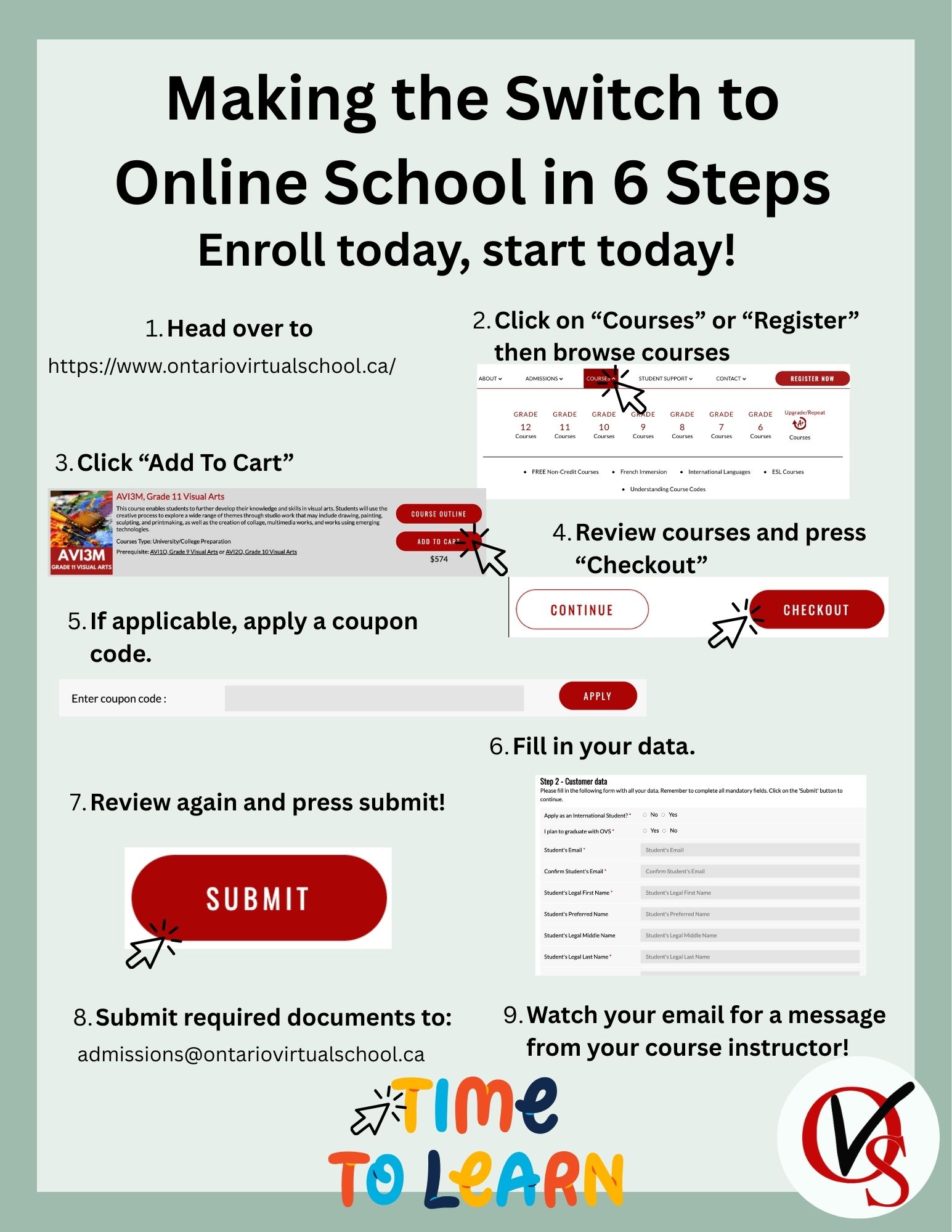
2. Add Courses to Cart and Checkout
Once you’ve selected your courses:
- Add them to your cart
- Review your choices carefully
- Click “Checkout”
- Complete the required forms and payment details
3. Complete the Registration Form
You will then be prompted to fill in some personal and academic information. This is your registration form. This information will be used to register you in the course, to provide academic counselling, to process payments, and to ensure that education requirements are met. Once the form and payment information is inputted, press submit to finalize your enrollment.
4. Submit Required Documents
- International students: Submit your government-issued ID to: [email protected]
- Prerequisites: If your course requires prior credits, submit your transcript to: [email protected]. When you inform your day school that you are switching to online school full time, they will provide you with your transcript.
5. Access your course
You can begin viewing lessons right away. Assignments will become available when prerequisites are completed. This ensures that:
- You are properly prepared to succeed with course material
- You don’t complete assignments for a course that you aren’t eligible to take (saving your time).
Remember that under the course information the prerequisite is listed, but verification by our administration team protects you from issues later.
6. Build Your Study Schedule
Switching from day school will be an adjustment as you learn what works best for you. Online learning gives you flexibility, but structure is essential. There may be an initial feeling of uncertainty as you adjust to not having a strict schedule for even the little things such as snack time and work periods. Time management for online students is essential. Below are some tips to help you plan your day with online learning:
a) Track Your Energy → For two weeks, note when you feel most focused and motivated. Identify patterns that help you plan productive study times.
b) Block Out Study Time → While there is no specific time you need to be online, this strategy may help you stay accountable. When you wake up, make a list of what you want to complete within the day. Schedule the timing for your daily goals. This can change day-to-day, but it will give you direction when you wake up.
c) Stay Active → Ensure that you are scheduling movement into your day. Even light stretching or walking can improve your memory and focus (University of Waterloo, 2026).
d) Set a Completion Timeline → Decide what timeframe you want or need the course completed in. Do you need your Grade 12 Computer Science (ICS4U) course for University deadlines? OVS gives you 365 days to complete the course. There is a minimum enrollment period that you will have to follow as well (contact our office for details).
Ready, Set, Learn!
Congratulations on taking control of your education journey and enrolling in a program that works best for you! As you progress through your courses, remember that your course instructors are always there to support you, as well as the team in admissions. Head over to our course options to put these steps into action!
Frequently Asked Questions (FAQ)
1) Can I start an OVS course at any time of the year?
A: Yes. OVS has rolling enrollment, so you can register and begin courses anytime without worrying about application deadlines or admission requirements (unless in the reach-ahead program). You can even start outside regular business hours.
2) How do I choose the right courses when switching from day school?
A: Consider your OSSD requirements, interests, career goals, prerequisites, and course level (University, College, or Open). Watch demo lessons to make sure the course aligns with your expectations before enrolling. Academic advisors are available to help with decisions.
3) What is the enrollment process for switching to online school?
A: Add courses to your cart and checkout, complete the registration form with personal and academic information, and submit any required documents such as transcripts or ID. Once this is done, you are officially enrolled.
4) How do I access lessons and assignments after enrollment?
A: You can start viewing lessons immediately. Assignments become available only after prerequisites are verified, ensuring you are prepared and eligible to complete the work successfully.
5) How should I organize my study schedule as an online student?
A: Although flexible, structure is important. Track your energy to find peak focus times, block out daily study periods, include regular physical activity, and set a completion timeline for each course (up to 365 days).
Sources:
Centre for Teaching Excellence, University of Waterloo. (n.d.). Integrating movement breaks into your class. University of Waterloo. https://uwaterloo.ca/centre-for-teaching-excellence/catalogs/tip-sheets/integrating-movement-breaks-your-class
Written by Katelyn Van Hezewyk (OVS Teacher)